
Gift cards for small business: how to set up digital ones that pay off
Gift cards for small business in six steps: choose amounts, write the rules, set up an online shop and redeem at the counter. A practical guide for owners.

Gift cards for a small business are easy to sell and easy to set up badly. Done well, the money is in your account today, a new customer walks in tomorrow and the visit often brings more than the card covers. Done badly, you get unclear rules, a queue at the till and vouchers you cannot keep track of. Here is how to make gift cards for your business in six steps, from the first decision to the first redemption.
Why a small business should sell gift cards
A gift card is money in your account before you deliver the service. It also brings you someone you did not have to win with advertising: the person who receives it. A digital card can be sent in seconds, even at ten at night when someone remembers a birthday.
Step 1: decide what you are selling
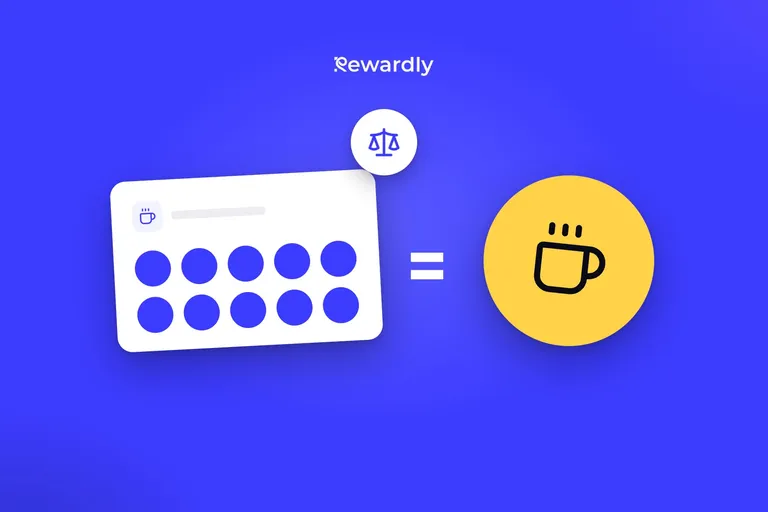
Is it a gift card for an amount, say €30 or €50, or a pass for a set number of visits, such as ten car washes or five massages?
An amount suits cafés, restaurants and shops. The buyer picks the value and the recipient decides what to spend it on.
A pass suits services you sell visit by visit. The customer sees the remaining entries on the pass in their wallet, and the number goes down after each use.
Only a gift card can be sent as a gift. A pass can be sold in your shop but not sent on. You can have one gift card on sale at a time, and passes can be on sale next to it.
Step 2: choose the amounts
Start from your average spend. A café can lean on lower amounts people buy on impulse, a restaurant on mid range ones, a salon on round amounts that feel like a gift and not like a discount.
In Rewardly you set a fixed price, or let buyers choose from up to five preset amounts, or type their own within a range you set. Three or four presets are enough choice without confusion.
Decide the amounts before you publish. If you need different ones later, archive the card and publish a new one. The vouchers you have already sold stay valid.
Step 3: write the rules on the card
Keep them short. Say where the card can be redeemed, all locations or just one. Say what it covers: most of your range, with as few exceptions as possible. Say whether it can be combined with an offer, and how long it is valid. Put the validity in your terms and check what the rules in your country require.
The customer wants to know three things: how much they have, how long it is valid and where to use it.
Step 4: set up your shop
In Rewardly you get:
- your own voucher shop with your logo and colours, which you can also embed on your website,
- card payment online. The money goes to your own Stripe account and Rewardly takes no commission on voucher sales. Stripe charges its usual payment fees,
- gifting. The buyer adds the recipient's name and a personal message, and the card arrives by email straight away. It can be saved to Apple Wallet or Google Wallet, or printed as a PDF,
- a code and a QR code on every voucher,
- sales while you are closed.
The shop works in English, Slovak and Czech and sells in euros. Vouchers are part of the Professional plan.
Step 5: test redemption with your staff
At the till, staff scan the code in the Rewardly app. The customer can spend the credit all at once or bit by bit, and the balance updates instantly.
Staff need to know three things: how to scan the card, what to do when the customer spends only part of it and what to do when something does not work. Go through all three with them before a busy Saturday lunch.
Step 6: watch the numbers
Your overview shows how many vouchers you have sold, redeemed and still have outstanding. The outstanding ones are services you have sold but not yet delivered, so look at them before your busy season.
If few vouchers sell, the link to your shop is probably not visible enough. If many are sold and few redeemed, holders forget the card exists.
You can recognise a strong setup by three signs. The card sells without explanation, staff handle it without stress and you know how many vouchers are still out there.
The most common mistakes
- Too many rules. Nobody wants to read the terms like an insurance contract.
- Too many amounts. Three or four are enough.
- A shop nobody finds. Put the link on your website, in your Instagram profile and wherever your customers already look.
Only need a few vouchers a year? A template and a spreadsheet may be enough: see gift voucher template or selling online. For a normal day at the counter, read how digital vouchers work in your business. Planning for the holidays? Here is a six week plan for Christmas gift vouchers. You can see everything on the vouchers page.
Start selling gift cards online. Try Rewardly for €0
No upfront payment, setup in 2 minutes.