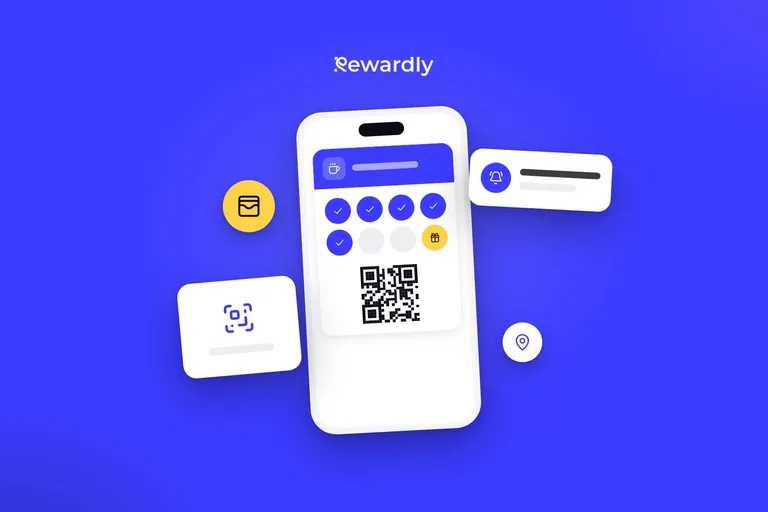
Mobile wallet marketing: what you can change on a card after it is saved
Mobile wallet marketing means a card you can still change after customers save it: design, reward text, the back, locations and messages, and when each shows.


Mobile wallet marketing means using the card your customer already carries on the phone as a channel: its look, its reward text, its back side and its messages. The useful part is that you can keep changing it after customers have saved it. You can change the design, the reward text, the back of the card (opening hours, terms, links), the locations, and send messages. Stamps already collected are kept. New cards show a change at once, and cards already in wallets update with the customer's next stamp or purchase. A design change sends no alert to anyone, so pair it with a message or a line at the till.
Below is each change, when the customer sees it and how to use it as marketing. What a wallet card can do at all and the limits of the platforms are in what Apple Wallet and Google Wallet loyalty cards can and can't do.
What changes, and when the customer sees it
Change | New cards | Cards already saved |
|---|---|---|
Design: colours, logo, image | At once | With the next stamp or purchase |
Reward text | At once | With the next stamp or purchase |
Back of the card: hours, address, terms, contact, links | At once | With the card's next update |
Locations and radius | At once | You refresh cards in wallets once in 24 hours |
Message | Not applicable | Goes out at the time you set |
Design, reward text and the back of the card are in every plan. Messages and location notifications come with the Advanced plan and above (€49.90 a month per location) (prices excluding VAT). The customer does not add the card again, it is the same card. Stamps or points already collected do not disappear when you edit it.
One rule follows: a change shows at a visit. After the scan, staff say: "Look at your card, we have a new reward." The card refreshes after the stamp and the customer sees the change shortly after the scan.
How soon regulars see it
Rewardly's study of how soon loyalty members come back (more than 40,000 cards, 50+ businesses) puts the median wait for a returning coffee shop member at 15 days, bakeries at 11, restaurants at 18 and beauty and fitness at 27. If your regulars follow that average, most coffee shop members see a change within two weeks and salon clients within four.
The other side: a customer who does not come back does not see the change. Editing the card is not a way to win back people who left. That is a job for a message or a follow up after N days, described in the guide to push notifications.
Seasonal design: change the look when you have something to announce
You change colours, logo and image without customers adding the card again and without printing anything. It suits a season: autumn colours for a pumpkin latte, a Christmas look from the start of December, a spring look with a new menu.
A design is advertising only when it announces something. Change it 3 to 4 times a year, each time tied to news, and add one line at the till or a message to each change. A new look with no reason does not persuade anyone to come in. To sketch the logo, colours and image, use the free loyalty card maker. For logo, colours and picture size, read how to design a loyalty card.
Reward text: a change you have to calculate
The reward text is what the customer reads on the card, for example "Free coffee". You can change it at any time, but you must be able to deliver the reward. Illustrative example, replace the numbers with yours.
Say a café gives a flat white as the reward, priced €3.20 with ingredients of €0.70. For one month it changes the text to "A free coffee or a slice of cake". A slice of cake costs €4.00 with ingredients of €1.40. Say 40 rewards are redeemed in the month and one in four picks the cake.
- Value of the rewards: 30 × €3.20 + 10 × €4.00 = €136.00, against 40 × €3.20 = €128.00 before. The difference is €8.00.
- Ingredient cost: 30 × €0.70 + 10 × €1.40 = €35.00, against 40 × €0.70 = €28.00 before. The difference is €7.00.
For €7.00 a month extra the customer gets a choice and the reward feels more generous. The downside case: the choice brings nobody extra and you pay that €7.00 only for a nicer reward. So change the text for a set period and change it back afterwards.
The back of the card: your cheapest advertising space
On the back of the card you can have up to 10 information rows (opening hours, address, terms, contact or a row of your own) and links: website, Instagram, Facebook, call, email, book now, menu, directions and "Leave a review". Cards already in wallets show them after the card updates.
What to do with it:
- Holiday hours. Before Christmas add a row with the opening hours from 24 December. The customer finds it where they open the card.
- Booking. A salon or barbershop adds a "Book now" link so the customer can book from the card.
- Review. A "Leave a review" link is a short route to a Google review. How to ask at the till is in how to get Google reviews from your regulars, and you can make the QR code in the Google review QR code tool.
- Terms. One sentence on how the program works saves staff questions.
Locations: the new shop on the card
When you open a second location, add its address and radius. On an iPhone the card may then appear on the lock screen near it, and Google Wallet may send a notification, but the phone decides the timing. A card can carry at most 10 places.
Rewardly refreshes cards already in wallets once in 24 hours, so finish the list of places before you publish and do not edit it daily. Location notifications come with the Advanced plan and above, and their limits are in how geotargeting works in a mobile wallet.
Illustrative example: a bakery opens a second shop. On Monday it adds the address, on Friday it sends the message "New shop on Main Street. Your first coffee there is €1 with your card." and staff say it at the till in the first days.
Messages: the one change that announces itself
A change of design or reward text sends the customer no alert. A message does. Rewardly measures a 90% read rate on wallet messages, so it is a good way to announce news to everyone who agreed to marketing messages. An example for a reward change: "New reward: a free coffee or a slice of cake. Show your card when you order." How to build a message, how many to send and when is in the guide to push notifications. The feature is also on the push notifications page.
What you cannot change
- An instant change on every card. The card refreshes with the customer's next stamp or purchase. For a design or reward text edit there is no "change everything now" button.
- The look of one customer's card. The design is shared by the program's card.
- When the phone shows the card. Apple or Google decide that, not you.
- A card that does not interest anyone. A new design still needs a reward worth the trip. For the launch, see how to launch a loyalty card without an app.
An overview of the kinds of wallet cards a business can offer is in the guide to mobile wallets for businesses.
FAQ
Can I change a loyalty card after customers have saved it?
Yes. You can change the design, the reward text, the back of the card and the locations. Stamps and points already collected are kept.
Do customers have to add the card again?
No. It is the same card, and the wallet updates it after the next stamp or purchase.
How fast does a change show on the customer's phone?
On a new card at once. On a card the customer already has, with their next stamp or purchase. Staff can show it right after the scan.
Can I add another location later?
Yes. Cards in wallets refresh at most once in 24 hours after you change the places. One card can carry at most 10 places.
How do I tell customers about a change?
With a message, if you have the Advanced plan or above, and with a line at the till. A design change alone does not arrive as an alert.
Change your card whenever you like. Try Rewardly for €0
No upfront payment, 14 days free.