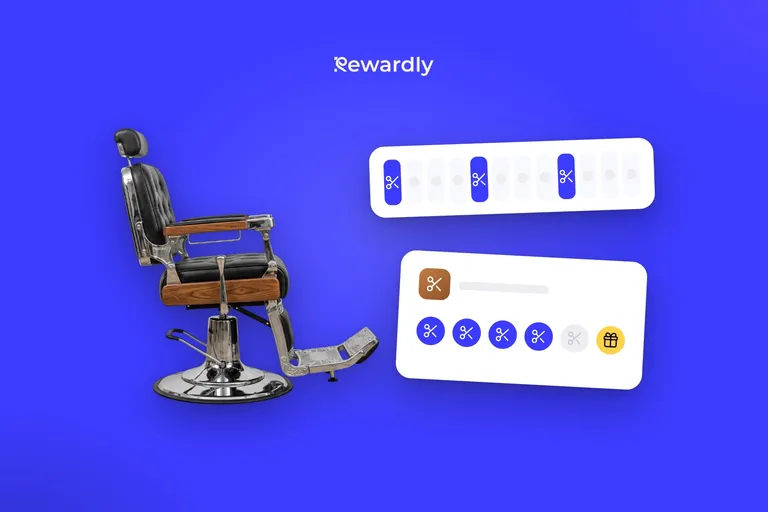
How to launch a loyalty card without an app: from setup to 100 members
How to launch a loyalty card without an app: pick the reward, place the QR code, teach staff one line and check the numbers after 7 and 30 days.


How do you launch a loyalty card without an app? In five steps: pick one card and one reward, create it in 2 minutes, put the QR code where customers pay, teach staff one sentence, and check the numbers after 7 and 30 days. Customers add the card to Apple Wallet or Google Wallet in about 10 seconds and download nothing. In Rewardly's data, 2 in 3 people who open the join page become members.
Why a phone card and not your own app is covered in loyalty without an app that drives revenue. This guide is the rollout, in order.
Step 1: pick one card and a reward that will not hurt your margin
Start with a stamp card where a stamp is added per visit. A café, bakery, barbershop or salon can explain it in five seconds. A restaurant can use a points card instead, where points come from the bill (1 to 50 points per euro).
Run the numbers on the reward before you announce it. Illustrative figures, replace them with yours: a café sells a flat white for €3.20 and the ingredients cost about €0.70. The card says "buy eight coffees, the ninth is free".
- Over nine coffees the customer pays 8 × €3.20 = €25.60.
- You give away one coffee worth €3.20. That is €3.20 out of €28.80, or 11% of the price of nine coffees.
- The ingredients for that coffee cost you €0.70.
The 11% is revenue you give up if the customer would have come anyway. The €0.70 is what the reward costs you in margin. The first case is the downside: if everyone came regardless, the card costs you that revenue. A reward pays for itself only when it adds visits that would not have happened. To pick the number of stamps, see how many stamps to put on a loyalty card.
Step 2: create the card and try it on your own phone
You can sketch the look first in the free loyalty card maker. In Rewardly the first card then takes about 2 minutes: card type, logo, colours and reward.
Two settings matter at launch:
- The sign up form. First name and email are recommended, not required. If you want to send birthday messages later, add date of birth.
- The scanner for staff. It runs in the browser on a phone or tablet, with nothing to install and no till needed. It does need internet, because a stamp is not recorded offline. Each employee can have their own login that only scans.
Then add the card to your own phone and have a colleague scan you. You want to see the stamp appear on the card. If you manage without explaining, so can a customer.
The card, the QR code and the scanner are in every plan. The welcome message, push notifications and POS connection come with Advanced and above. Basic is €29.90 and Advanced €49.90 per location per month (prices excluding VAT). The first 14 days are a trial: you add a payment card at signup and nothing is charged.
Step 3: where to put the QR code
Customers sign up where they stand and wait. In Rewardly's data, 70% of people who arrived at the join page directly, for example through a QR code in the shop, became members. Of those who came from Instagram, 28% did. The details are in the study on where your QR code works best. Instagram brings people to the page, the counter signs them up.
- Café and bakery: at the till at eye level, and where people wait for their order.
- Restaurant: on the table and on the bill folder.
- Barbershop and salon: at reception and on the mirror at the chair, where the customer sits with nothing to do.
Not on the door or in the window, nobody stops there. In the dashboard you download a PDF counter stand with your QR code, ready to print on A4. Before opening, scan the code from where a customer stands, in the real light.
Step 4: the one line staff say
A QR code alone is not enough, someone has to ask. If the dashboard shows few members after two days, almost always nobody asked. Agree on one sentence and tape it next to the till:
"Would you like our loyalty card on your phone? Just scan this code, it takes ten seconds and the ninth coffee is free."
Ask at payment, while the customer is standing at the counter. Then scan their card in the scanner and add the stamp for this purchase, so they see it work. Regulars with a half full paper card add the digital card the same way and keep collecting on paper until a fixed date. How to run that switch fairly is in switching from paper loyalty cards to digital.
How many members to expect? An illustrative example: a café serves 120 customers a day, staff ask half of them (60), and one in five signs up.
- 60 ÷ 5 = 12 new members a day.
- You reach 100 members after nine trading days (9 × 12 = 108).
- If staff ask only 20 people, that is 4 members a day and 100 takes 25 days.
Whether it takes a week or a month depends on how often staff ask, so practise the sentence with the whole team before you open.
Step 5: the welcome message and your first push
On Advanced and above you switch on a welcome message that lands on the card as soon as it is added. For example: "Welcome! Every coffee earns a stamp, and the ninth is free." Messages only reach customers who agreed to marketing messages.
Send your first push notification once you have a few dozen members, around the second week. Give it one reason: something new on the menu, or "you are one stamp away". Rewardly measures a 90% read rate on wallet messages. Send it before the usual visit time, for a café in the morning rather than the evening.
What to check after 7 days
In Rewardly's data, about one fifth of the first 90 days' members joined in the very first week, and about half in the first month. That is an average pattern, not a forecast, but you can read your launch against it.
- Member count. If your launch follows that average pattern, 20 members after the first week points to about 100 after 90 days. The example café, at 12 a day, has 84 after a week.
- How often staff asked. Ask them how many times a day they offered the card. With 60 offers and 12 members the card works. With 15 offers the problem is the asking, not the card.
- First returns. 21.9% of new members come back within a week (all businesses together). For the 84 members in the example, that is about 18 people.
- Stamps. Did every new member get a stamp on the first purchase?
What to check after 30 days
Rewardly's analysis of more than 40,000 cards across 50+ businesses found that 42.5% of new members come back within 30 days and 56.0% within 90. By trade:
- Coffee shops: 44.5% within 30 days, 57.9% within 90.
- Bakeries: 45.3% and 55.2%.
- Restaurants: 39.5% and 54.0%.
- Beauty, nails and fitness: 34.1% and 51.6%.
A café with 100 members can expect around 44 returns. These count scanned cards, so real rates are likely a little higher. Use them as a yardstick, not a promise. The first month matters: members who came back in their first month were 2.7 times as likely to still visit 10 to 12 months later, 54.3% against 20.1% (retention study).
If you are well below the yardstick, check two things. Can a regular reach the first reward within a few weeks? And does a member ever hear from you after joining? On Advanced you build the follow up yourself: the trigger is a visit, the system waits the number of days you choose, and if the customer has not come back it sends the message. Time it to your trade. According to the study on how soon members come back, 3 in 4 returning members were back within 47 days in coffee shops, 32 in bakeries, 44 in restaurants and 45 in beauty. The message: "You are one stamp away from a free coffee. We are waiting for you this week."
FAQ
Can a loyalty program work without a customer app?
Yes. The card lives in Apple Wallet on iPhone or Google Wallet on Android. The customer scans the QR code, opens a short join page and saves the card. First name and email are recommended, not required.
How long does it take to launch?
Creating the card takes about 2 minutes. The rest of the week is printing the stand, practising the line with staff and the first checks.
What do staff need?
A phone or tablet with internet and the Rewardly scanner in the browser. If you use Papaya POS, Storyous, Portos or Dotykačka and have Advanced, stamps can be added from the receipt. How scanning at the till works is in scan the loyalty card at the till.
What if a customer's phone has no Apple or Google Wallet?
Then the card cannot be saved. It lives in Apple Wallet or Google Wallet, so the customer needs one of the two.
Launch your loyalty card. Try Rewardly for €0
No upfront payment, 14 days free.